Navigating the world of budget gaming PC motherboards can feel like a maze, especially when you're trying to build an efficient, reliable rig without breaking the bank. This comprehensive guide is designed for the modern gamer balancing work, family, and precious game time. We understand you value smart spending and performance optimization. Dive into practical advice on selecting the perfect budget gaming PC motherboard that meets your needs, ensures compatibility, and offers room for future upgrades. From understanding chipsets to identifying crucial features like VRM quality and connectivity, we cover everything you need to know to make an informed decision. Learn how to avoid common pitfalls, maximize your value, and build a gaming PC that delivers solid performance without unnecessary hype or expense. This article will help you get back to what matters most: enjoying your games and connecting with friends.
Q1: How do I identify a good VRM on a budget motherboard without deep technical knowledge?
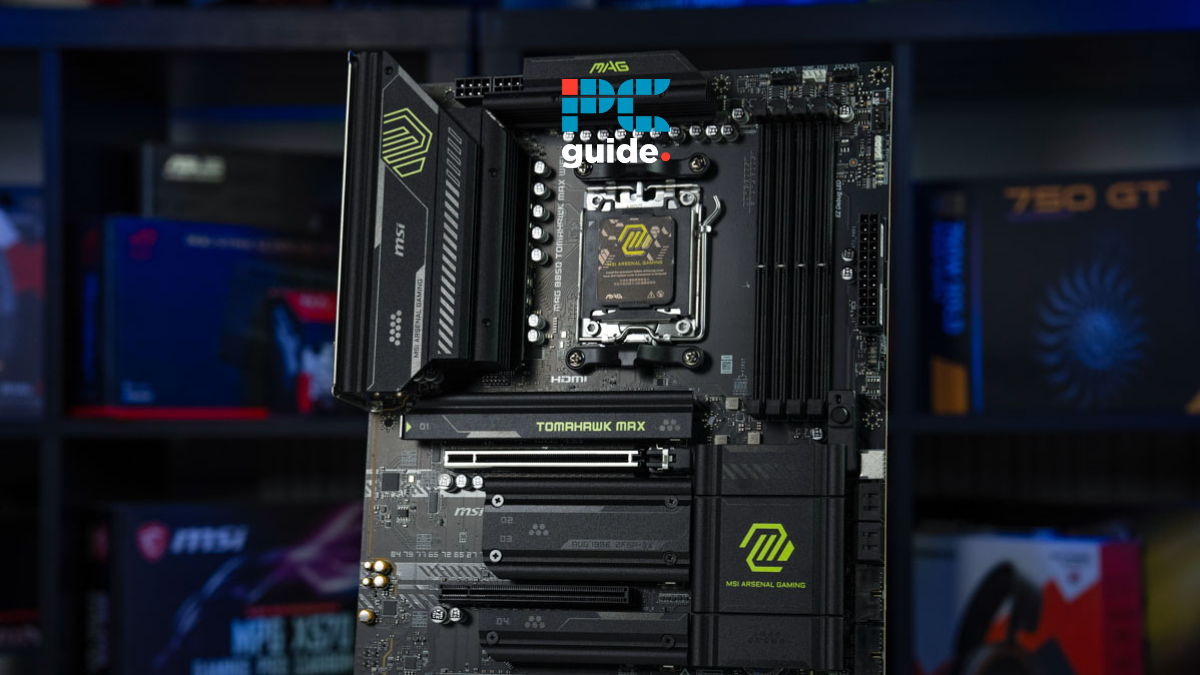
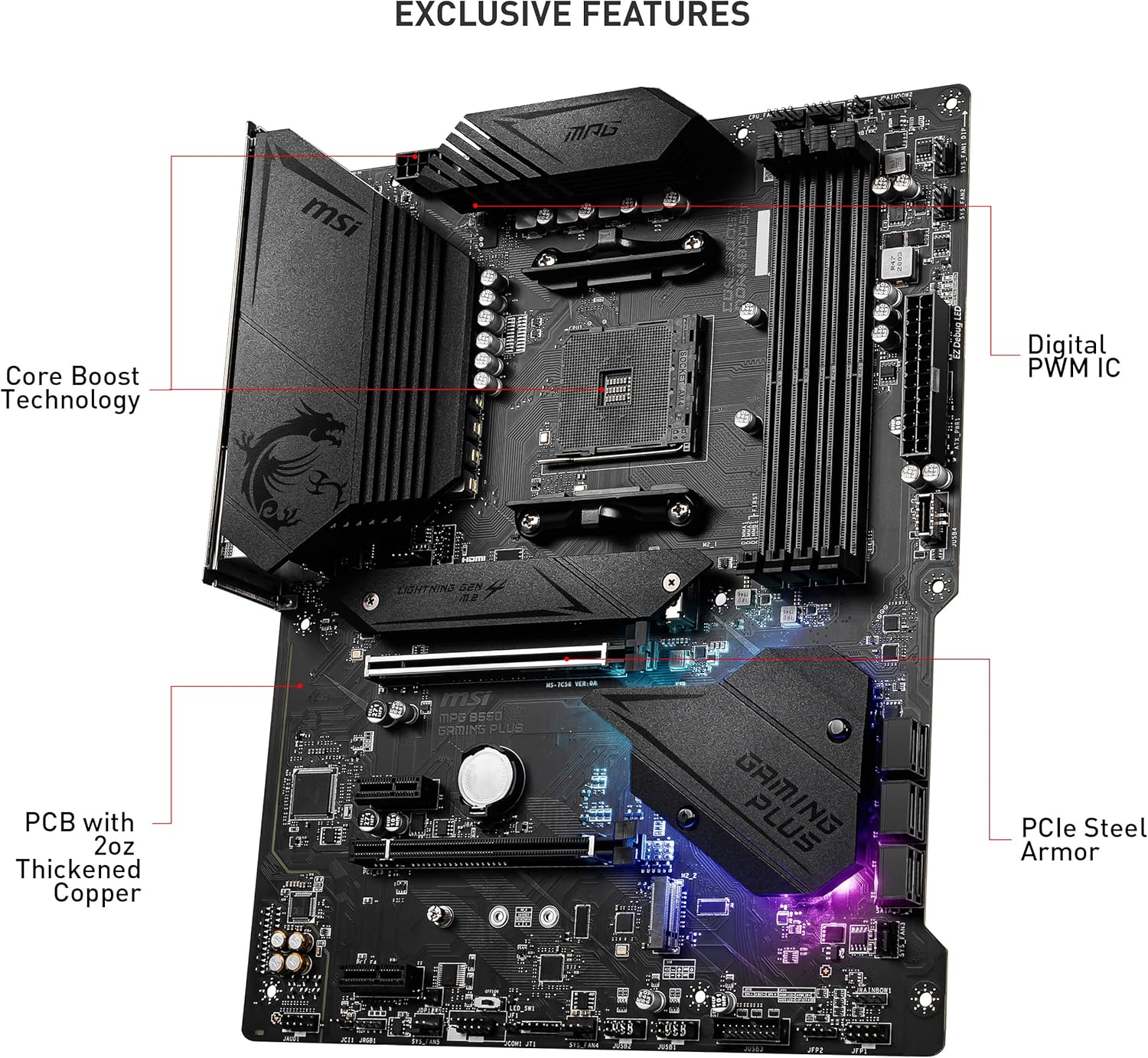
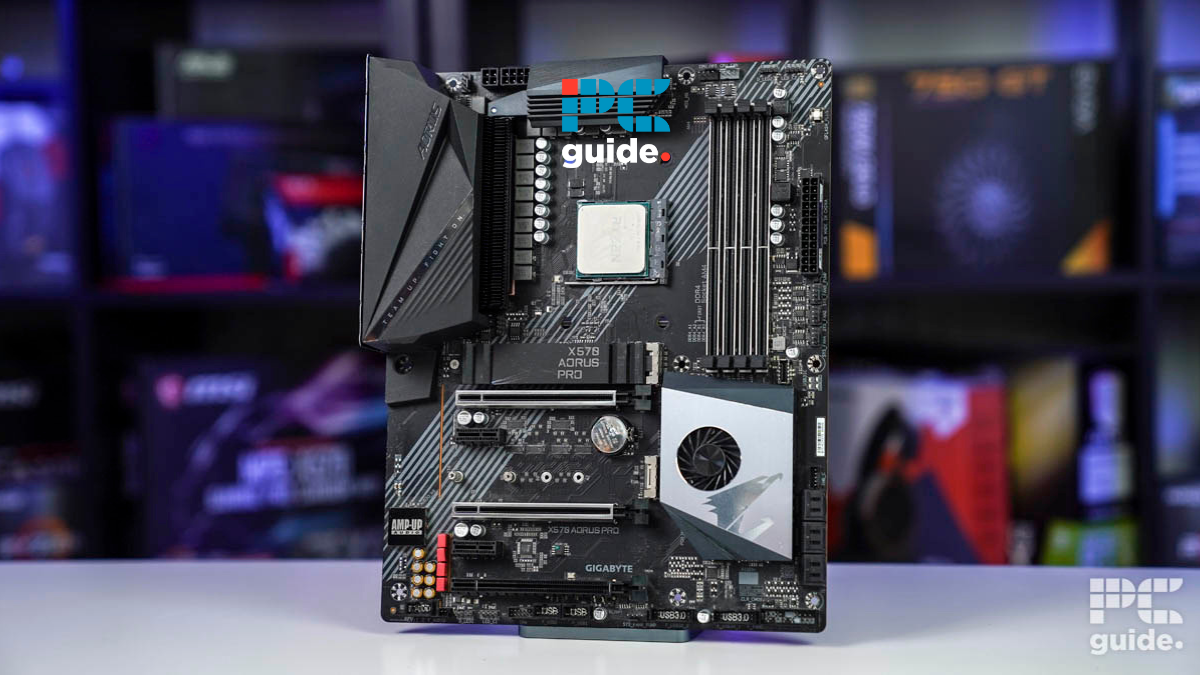
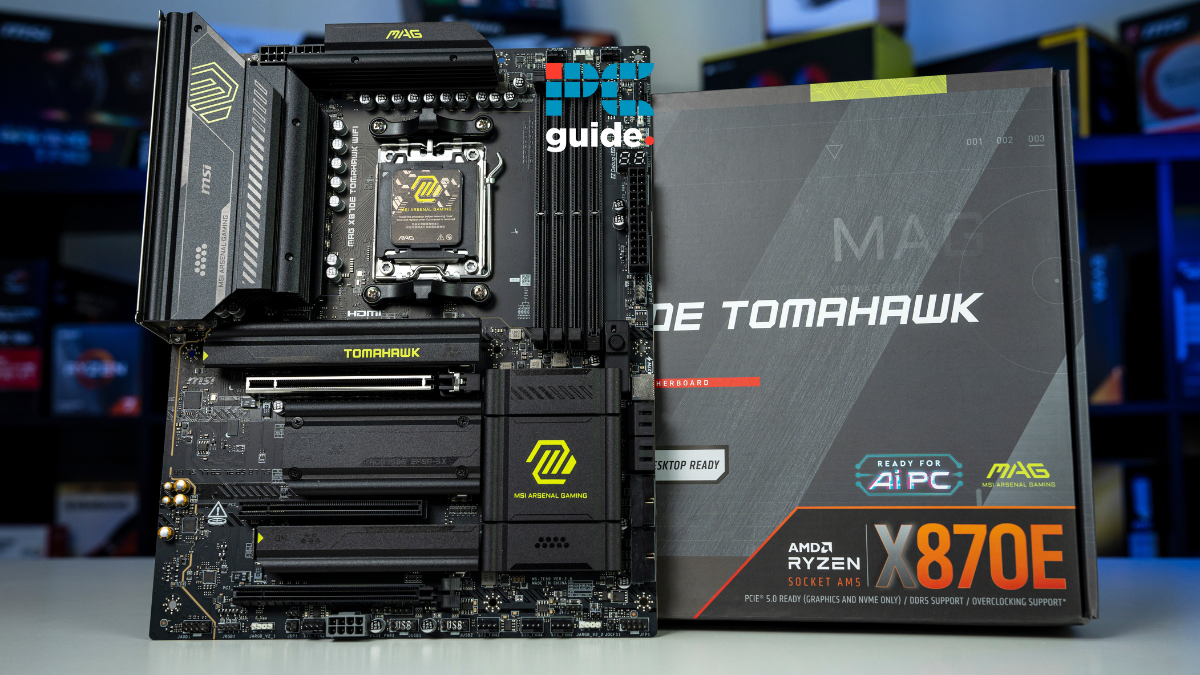
A1: Look for larger, more numerous metallic squares (chokes) near the CPU socket, often accompanied by chunky aluminum heatsinks. Good VRMs have more phases and better cooling, ensuring stable power delivery to your CPU during intense gaming sessions. Reputable tech reviews and product images often highlight the VRM area, so check those before buying your budget gaming PC motherboard.
Q2: What is the optimal number of PCIe slots for a budget gaming setup?
A2: For a typical budget gaming PC, one full-length PCIe x16 slot for your graphics card is optimal and usually all you need. An additional PCIe x1 slot can be useful for a Wi-Fi card or other small expansion, but more than that often adds unnecessary cost for a budget build. Focus on the primary x16 slot supporting the latest PCIe generation (4.0 or 5.0) for your GPU.
Q3: Should I consider a refurbished budget gaming motherboard?
A3: Yes, considering a refurbished budget gaming PC motherboard can be a smart move to save money, provided you buy from a reputable retailer with a clear warranty (e.g., Amazon Warehouse, Newegg Open Box). Always ensure it comes with at least a 90-day warranty for peace of mind. Check for included accessories like the I/O shield, which are often missing from refurbs.
Q4: How does motherboard size (ATX, Micro-ATX) affect a budget build?
A4: Motherboard size primarily affects case compatibility and expansion options. Micro-ATX (mATX) boards are often ideal for budget builds, offering a good balance of features and typically lower prices than full ATX boards, fitting into more affordable, compact cases. Mini-ITX boards are great for tiny builds but usually come at a premium and have fewer slots, making them less budget-friendly.
Q5: What are common budget motherboard brands I should trust?
A5: For your budget gaming PC motherboard, well-known brands like ASUS, MSI, Gigabyte, and ASRock consistently offer reliable budget-friendly options. They have extensive support and driver ecosystems. Always check specific model reviews, as quality can vary even within the same brand's budget lineup.
Q6: Can I use integrated graphics with a budget motherboard if I don't have a GPU yet?
A6: Yes, if your chosen CPU has integrated graphics (e.g., Intel CPUs ending in 'F' or AMD Ryzen CPUs without 'G' in their name generally don't), your budget gaming PC motherboard will support it. Just ensure the motherboard has appropriate video outputs like HDMI or DisplayPort. This is a great temporary solution for budget builders waiting for GPU prices to drop or saving up.
Q7: Are there any specific budget motherboards known for good audio quality?
A7: While premium audio codecs are typically reserved for high-end boards, many modern budget gaming PC motherboards come with acceptable integrated audio (e.g., Realtek ALC897, ALC1200 series). Look for boards that feature isolated audio circuitry and possibly dedicated audio capacitors to reduce interference and provide a cleaner sound for your gaming headphones or speakers.
Hey there, fellow gamers! If you're anything like me, you love unwinding with a solid gaming session after a long day, maybe hopping into a social game with friends, or even diving into a deep, skill-building RPG. But let's be real: between work, family, and life's endless demands, our budget often dictates our gaming ambitions. We want that sweet spot of performance, reliability, and fun without having to sell a kidney to get it. You're not alone; according to recent US gaming stats, 87% of adult gamers play regularly, often for 10+ hours a week, and a significant portion balance this hobby with full-time responsibilities. This means value for money is not just a preference; it's a necessity.
One of the trickiest components to nail down when you're building a budget gaming PC is the motherboard. It's the unsung hero, the central nervous system that connects everything from your lightning-fast CPU and GPU to your storage and RAM. A good budget gaming PC motherboard ensures smooth performance, compatibility, and even sets the stage for future upgrades. A bad one? Well, that's a headache of crashes, bottlenecks, and buyer's remorse that none of us need. This guide is here to cut through the tech jargon and marketing hype. We're going to give you the clear, actionable advice you need to pick a budget gaming PC motherboard that works hard for your wallet and your gameplay. Let's get your build right so you can focus on those epic wins and well-deserved relaxation.
Why is the Motherboard Crucial for a Budget Gaming PC?
Think of your motherboard as the foundation of your entire gaming PC. It dictates what CPU you can use, the type and speed of RAM, how many storage devices you can connect, and even the expansion options for future graphics cards or networking. For a budget build, choosing the right motherboard is paramount because it directly impacts both current performance and upgradeability down the line. A solid, affordable motherboard means you won't hit frustrating compatibility walls or performance bottlenecks that limit your other budget-friendly components.
Investing wisely here saves you from needing a complete system overhaul later, allowing you to gradually upgrade components like your GPU or CPU without replacing the entire core infrastructure. It's about smart spending now to avoid costly mistakes in the future, ensuring your gaming sessions are smooth and stress-free.
What Key Features Should I Prioritize in a Budget Gaming Motherboard?
When you're on a budget for your budget gaming PC motherboard, it's all about smart prioritization. You can't have everything, but you can definitely get what matters most.
CPU Socket Compatibility: This is non-negotiable. Ensure the motherboard's socket (e.g., AM4, AM5 for AMD; LGA1700 for Intel) matches your chosen processor. A mismatch means your CPU won't fit.
Chipset: This determines features like PCIe lane availability, USB ports, and storage options. For budget AMD builds, B-series chipsets (B550, B650) are fantastic. For Intel, B-series (B660, B760) or even H-series (H610, H770) offer great value without cutting too many corners essential for gaming.
RAM Slots & Speed: Aim for at least two (preferably four) RAM slots to allow for easy upgrades. Ensure it supports the DDR4 or DDR5 standard you've chosen and a decent speed (e.g., 3200MHz for DDR4, 6000MHz for DDR5) that your CPU can handle.
VRM (Voltage Regulator Module) Quality: This is often overlooked on budget boards but crucial. A good VRM ensures stable power delivery to your CPU, preventing throttling and enhancing longevity, especially important for sustained gaming sessions. Look for boards with decent heatsinks over the VRMs.
Storage Options: At least one M.2 NVMe slot is a must for a fast boot drive. Multiple SATA ports are also useful for traditional SSDs and HDDs. Some budget boards might offer two M.2 slots, which is a bonus.
Connectivity (USB Ports, Networking): Enough USB 3.0/3.2 ports for your peripherals is key. Gigabit Ethernet is standard, and built-in Wi-Fi is a huge convenience, though a USB Wi-Fi adapter can be a cheaper alternative if your chosen budget board lacks it.
How Do I Ensure Compatibility with My CPU and RAM?
Ensuring compatibility is perhaps the most critical step in building any PC, especially a budget one where every dollar counts. There's nothing worse than getting excited about a new component only to find it doesn't fit or work with your existing parts.
For CPU compatibility, first, identify your CPU's socket type. For example, AMD's Ryzen 5000 series uses AM4, while their newer Ryzen 7000 series uses AM5. Intel's 12th, 13th, and 14th gen processors all use the LGA1700 socket. Your budget gaming PC motherboard must explicitly state support for that exact socket. You can usually find this information clearly listed on the product page or box. Websites like PCPartPicker.com are invaluable tools for checking compatibility across all your chosen components before you buy.
When it comes to RAM, two main factors matter: the generation (DDR4 or DDR5) and the speed (MHz). If your CPU supports DDR5 (like Intel 12th gen and newer, or AMD Ryzen 7000 series), your motherboard must also support DDR5. Older CPUs (like AMD Ryzen 5000 series or Intel 11th gen and older) use DDR4. The motherboard's specifications will list the supported RAM type and maximum speed. Always cross-reference your chosen RAM's speed with the motherboard's QVL (Qualified Vendor List) or stated maximums to ensure optimal performance.
Are Micro-ATX or Mini-ITX Boards Good for Budget Gaming?
Absolutely! Micro-ATX (mATX) and Mini-ITX (mITX) motherboards are excellent choices for a budget gaming PC, especially if you're aiming for a smaller footprint or plan to build a console-sized PC for your living room. A significant portion of US gamers, particularly those balancing life commitments, appreciate compact setups that fit discreetly into their home environments without sacrificing too much performance.
Micro-ATX boards are usually the sweet spot for budget builds. They're smaller than full ATX boards but still offer enough expansion slots (typically 2-4 RAM slots, 1-2 PCIe x16 slots for GPUs, and a couple of M.2 slots) for a solid gaming setup. They often come with more affordable chipsets, which aligns perfectly with a budget focus. Mini-ITX boards are even smaller, perfect for ultra-compact builds, but they often come with a premium price tag due to their engineering, and usually have fewer expansion options (e.g., only two RAM slots and one PCIe x16 slot). While great for specific use cases, mATX usually offers a better balance of price, size, and features for most budget gamers.
What are the Best Budget Chipsets for AMD (AM4/AM5) and Intel (LGA1700)?
Choosing the right chipset is like picking the right neighborhood for your PC components—it determines what amenities you have access to. For a budget gaming PC motherboard, sticking to specific chipsets can save you a bundle while still delivering excellent performance.
For AMD AM4 (Ryzen 3000/5000 Series):
B550: This is the undisputed champion for budget AM4 builds. It offers PCIe 4.0 support (crucial for modern GPUs and NVMe SSDs), good VRM quality on most boards, and sufficient connectivity. You can find excellent B550 boards often under $100-$120, providing fantastic value.
A520: A more basic option, often cheaper than B550. It lacks PCIe 4.0 support and typically has weaker VRMs, but it can be viable for extremely tight budgets with lower-end CPUs and GPUs.
For AMD AM5 (Ryzen 7000 Series):
B650: With AM5 being a newer, more expensive platform, B650 is the go-to for budget builders. It supports DDR5 RAM, PCIe 5.0 (for future GPUs), and offers solid features. B650 motherboards are still a bit pricier than AM4 options, but they're the most affordable entry into the latest AMD ecosystem.
For Intel LGA1700 (12th/13th/14th Gen):
B760/B660: These are the gold standard for budget Intel builds. They offer excellent feature sets for their price, including DDR4 and/or DDR5 support, PCIe 4.0, and often robust enough VRMs for i5 and even some i7 processors. Many come with Wi-Fi 6/6E built-in, which is a nice bonus.
H610: The entry-level option. It's the cheapest but comes with significant compromises: fewer USB ports, fewer PCIe lanes, and often weaker VRMs. Only consider this for very basic gaming PCs with a low-power CPU (like an i3 or non-K i5) and a very tight budget.
Remember, the chipset defines the base capabilities, but specific board implementations vary. Always check reviews for VRM quality and connectivity of the exact model you're eyeing.
Can I Overclock on a Budget Motherboard?
Generally, overclocking capabilities are one of the first features to be cut or limited on a budget gaming PC motherboard. This is primarily due to VRM design. Overclocking, which pushes your CPU or RAM beyond its factory specifications, requires a stable and robust power delivery system, along with adequate cooling for those VRMs.
For AMD, B-series chipsets (B550, B650) typically allow for CPU overclocking, but the quality of the VRM on individual budget boards will determine how effective and stable that overclock is. Some lower-end B-series boards might struggle. For Intel, you generally need a Z-series chipset (like Z690, Z790) and an 'unlocked' K-series CPU (e.g., i5-13600K) to overclock the CPU. Budget B-series and H-series Intel boards do not allow for CPU core overclocking, though they often support XMP/EXPO for RAM overclocking (running your RAM at its advertised speed). If overclocking is a must-have for you, you might need to slightly adjust your budget upwards for a board with better power delivery and cooling, or stick to a mid-range B-series AMD board with a reputation for solid VRMs.
When Should I Spend a Little More on a Motherboard?
While this guide focuses on budget options, there are specific scenarios where allocating a little extra cash for your budget gaming PC motherboard is a smart move that pays dividends. This is especially true for the average gamer who wants reliability and potential for growth without overspending on features they'll never use.
Future Upgrades: If you plan to upgrade your CPU to a significantly more powerful one in a few years (e.g., from an i5 to an i7/i9, or a Ryzen 5 to a Ryzen 9 on the same platform), a motherboard with a stronger VRM and better heatsinks will handle the increased power draw more effectively.
Connectivity Needs: Do you have multiple high-speed external drives, VR headsets, or other demanding peripherals? Investing in a board with more USB 3.2 ports, USB-C, or faster Wi-Fi 6E/7 might be worth it.
Multiple M.2 Slots: If you foresee needing more than one super-fast NVMe SSD, spending a bit more for a board with two or three M.2 slots can prevent bottlenecks and the hassle of switching drives later.
Networking: For competitive online gamers, a 2.5 Gigabit Ethernet port can offer a noticeable improvement over standard Gigabit. Similarly, if you absolutely need reliable, fast wireless, a board with integrated, high-performance Wi-Fi is a worthy upgrade over a cheap USB dongle.
Aesthetics/Build Quality: While subjective, some gamers appreciate better aesthetics, RGB headers, or higher build quality. If it makes you happier with your build, a small premium here can be justified.
Always weigh these potential benefits against your actual needs. Don't spend more for features you won't use.
What Common Mistakes Should I Avoid When Buying a Budget Motherboard?
Even seasoned builders can make small blunders, but for those balancing life and gaming, avoiding common mistakes with your budget gaming PC motherboard can save you time, money, and headaches.
Ignoring Compatibility: As mentioned, double-check your CPU socket and RAM type/speed. This is the number one mistake. Use compatibility checkers!
Neglecting VRM Quality: A cheap board with a weak, uncooled VRM will lead to CPU throttling and instability under load, especially during intense gaming. Look for boards with at least small heatsinks on the VRMs.
Overlooking Rear I/O: Count your USB ports, check for HDMI/DisplayPort if you plan to use integrated graphics, and ensure it has enough audio jacks. A lack of crucial ports can be frustrating later.
Not Researching BIOS Updates: Some newer CPUs might require a BIOS update on older motherboards to function. Check if the board has BIOS Flashback (Q-Flash Plus for Gigabyte, USB BIOS Flashback for MSI, etc.) allowing you to update the BIOS without an older CPU. This is a lifesaver for budget builders using newer chipsets.
Buying Without Reviews: Don't just pick the cheapest option. Read reviews, especially from reputable tech channels and sites, focusing on actual user experiences and performance under gaming loads.
Ignoring Form Factor: Make sure the motherboard size (ATX, mATX, mITX) fits your chosen PC case. A full ATX board won't fit a mini-ITX case, and vice versa.
Forgetting Networking: If you rely on Wi-Fi, ensure the board has it or factor in the cost of a Wi-Fi card or USB adapter.
How to Future-Proof My Budget Motherboard for Upgrades?
Future-proofing on a budget means making smart decisions that extend the lifespan of your core components, allowing for incremental upgrades rather than a full system overhaul. For your budget gaming PC motherboard, focus on these areas:
Platform Longevity: Choose a platform with a known upgrade path. For AMD, AM5 is newer and will likely support more generations of CPUs than AM4. For Intel, a new socket might be on the horizon, so consider if current LGA1700 boards will support future CPUs.
DDR5 Support: If your budget allows, opting for a DDR5-compatible motherboard (and RAM) for newer platforms like AM5 or LGA1700 will offer better longevity as DDR5 becomes the standard.
PCIe 4.0/5.0: Ensure your motherboard supports at least PCIe 4.0 for the primary GPU slot and M.2 NVMe SSDs. PCIe 5.0 is ideal for future-proofing, as new GPUs and SSDs are starting to utilize it. This ensures your high-speed components won't be bottlenecked.
Robust VRM: A better VRM, even on a budget board, can handle more powerful CPUs if you decide to upgrade from an i5 to an i7, or a Ryzen 5 to a Ryzen 7/9 down the line without needing a new motherboard.
Sufficient Expansion Slots: While mATX is common for budget, ensure you have enough RAM slots (2-4), M.2 slots (1-2), and at least one accessible PCIe x16 slot for your GPU. Extra PCIe x1 or x4 slots can be useful for Wi-Fi cards, capture cards, or additional storage controllers.
Where Can I Find the Best Deals on Budget Gaming Motherboards This Month?
Finding the best deals requires a bit of savvy, but it's totally worth it for your budget gaming PC motherboard. Trends this month show increasing competition in the mid-range component market, offering more value than ever.
Major Retailers: Keep an eye on sales from Newegg, Amazon, Best Buy, and Micro Center (if you have one nearby). These stores often have weekly or daily deals. Micro Center, in particular, often offers incredible CPU+motherboard bundles.
Price Trackers: Use tools like PCPartPicker.com to track prices over time and set up alerts for when your desired budget gaming PC motherboard drops to a certain price. Slickdeals.net is also a great community-driven deal aggregator.
Refurbished/Open Box: Reputable retailers often sell open-box or refurbished motherboards with warranties. Check Newegg's 'Open Box' section or Amazon Warehouse. Just ensure they come with a warranty for peace of mind.
Manufacturer Promotions: Sometimes manufacturers like ASUS, MSI, Gigabyte, or ASRock run their own promotions or offer rebates, which can significantly reduce the final cost. Check their official websites.
Community Forums: Gaming and PC building subreddits (r/buildapcsales, r/hardwareswap) are excellent for finding real-time deals and even used components from trusted sellers. Always exercise caution with used parts and verify seller reputation.
Remember that prices fluctuate, so patience and diligence can pay off. Happy hunting!
Conclusion
Choosing the right budget gaming PC motherboard doesn't have to be a daunting task. By focusing on essential features like CPU socket and RAM compatibility, chipset capabilities, and VRM quality, you can build a stable, performant, and upgrade-friendly system without overspending. We've seen that smart choices now pave the way for enjoyable, stress-free gaming experiences that fit seamlessly into your busy life. Remember, the goal isn't just to save money, but to invest wisely in components that offer true value and longevity. You've got this!
What's your biggest gaming challenge when it comes to hardware upgrades? Comment below!
FAQ Section
Is a cheap motherboard bad for gaming?
A cheap motherboard isn't inherently bad for gaming, but a *poorly chosen* one can be. Many budget gaming PC motherboards (especially B-series chipsets for both AMD and Intel) offer excellent value, providing all the necessary features for solid gaming performance without premium extras. Focus on decent VRM quality and adequate connectivity, not just the lowest price.Do I need Wi-Fi on my motherboard?
No, not necessarily. While integrated Wi-Fi is convenient for your budget gaming PC motherboard, especially for social gaming on the go or if your router is far, a wired Ethernet connection is generally more stable and faster. If your budget board lacks Wi-Fi, you can always add a dedicated Wi-Fi expansion card or a USB Wi-Fi adapter for a relatively low cost.What's the difference between B-series and H-series chipsets?
B-series chipsets (e.g., B550, B660, B760) typically offer more features than H-series (e.g., H610). B-series usually supports more USB ports, potentially more PCIe lanes, better VRM capabilities for slightly more powerful CPUs, and sometimes mild overclocking (RAM on Intel, CPU/RAM on AMD). H-series is usually the bare minimum, offering the lowest price point.Can I use DDR4 RAM with a new Intel 13th/14th gen CPU on a budget board?
Yes, many budget gaming PC motherboards for Intel's LGA1700 platform (including 12th, 13th, and 14th gen CPUs) come in both DDR4 and DDR5 variants. If you're building on a budget and already have DDR4 RAM, you can choose a DDR4-compatible B660 or B760 motherboard to save money, as DDR5 RAM is often more expensive.How many RAM slots do I really need?
For a budget gaming PC motherboard, two RAM slots are sufficient if you plan to use two sticks of RAM (e.g., 2x8GB for 16GB total). Four slots offer more upgrade flexibility, allowing you to start with two sticks and add two more later. Most budget mATX and ATX boards offer four slots, while mITX boards usually have only two.FAQ Style Summary
Here are some quick answers to common questions about budget gaming PC motherboards, optimized for clarity and featured snippets:
Choosing a budget gaming PC motherboard requires balancing cost with essential features like CPU socket compatibility, RAM support, VRM quality, and connectivity. Prioritize current-generation chipsets for longevity and future upgrades. Look for reliable brands and consider refurbished options from trusted sellers. Avoid overspending on features you won't use. Focus on solid performance and value for money.
35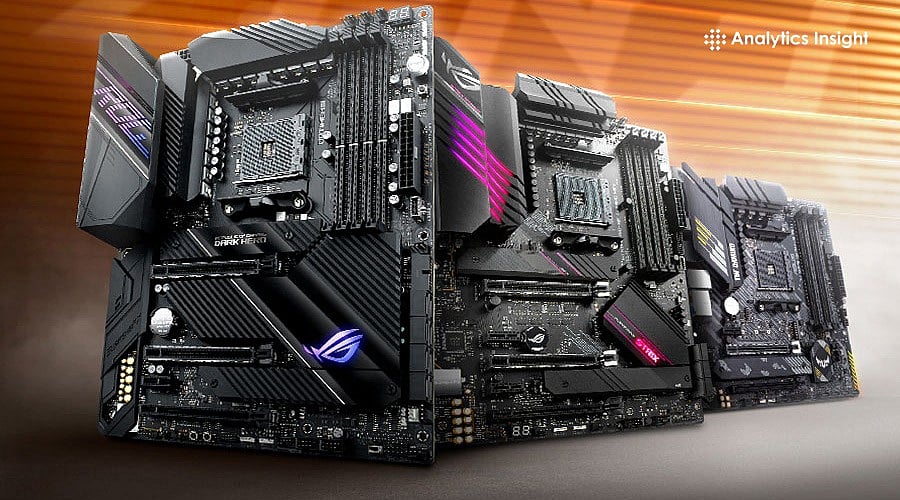

AMD Motherboard Buying Guide 2026 Top Picks For All Needs Top 10 AMD For Gaming And In 2026 . Best Gaming Motherboard And CPU Combo 2026 8 Models Tested Featured Image 1qw9skz9 . Best For Intel Core I7 12700K In 2026 Our Top Picks PC Best B850 Motherboard . Best AM4 Gaming Motherboard In 2026 Socke Gaming PC Guru AC SL1500 . Best For 2026 9meters Best 9800x3d
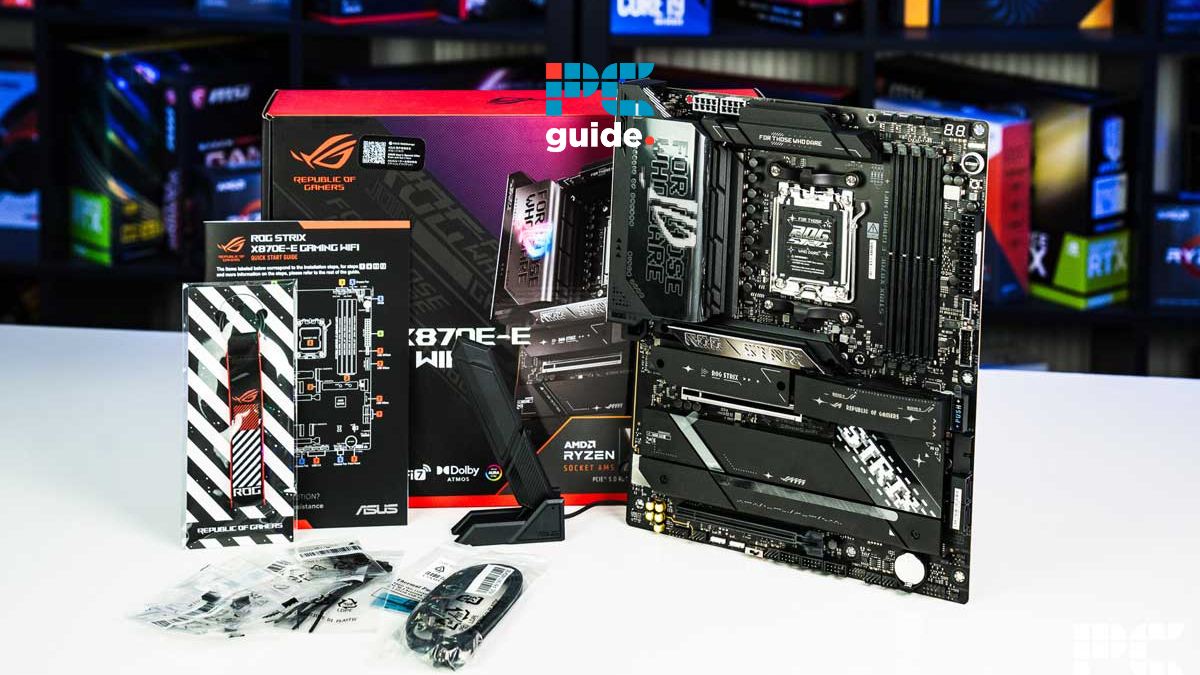
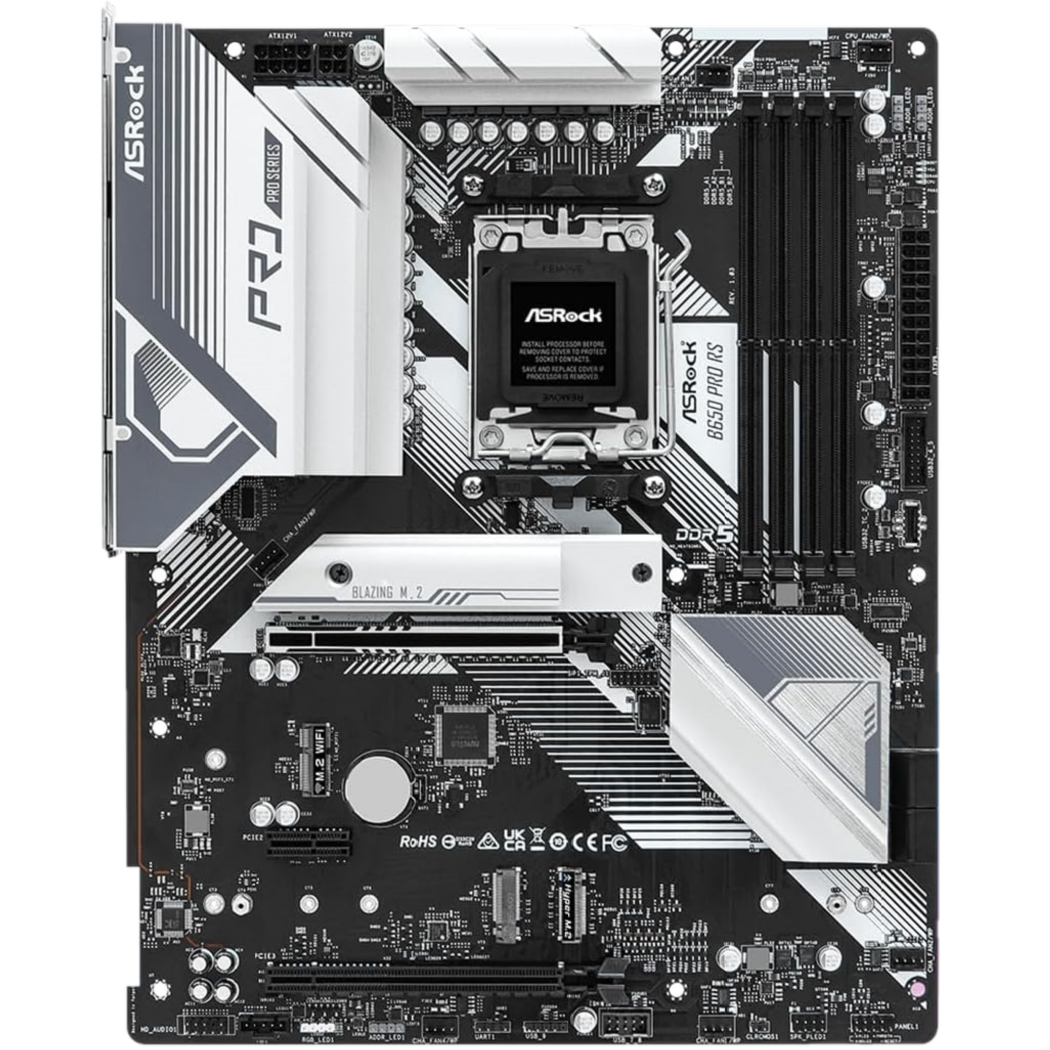
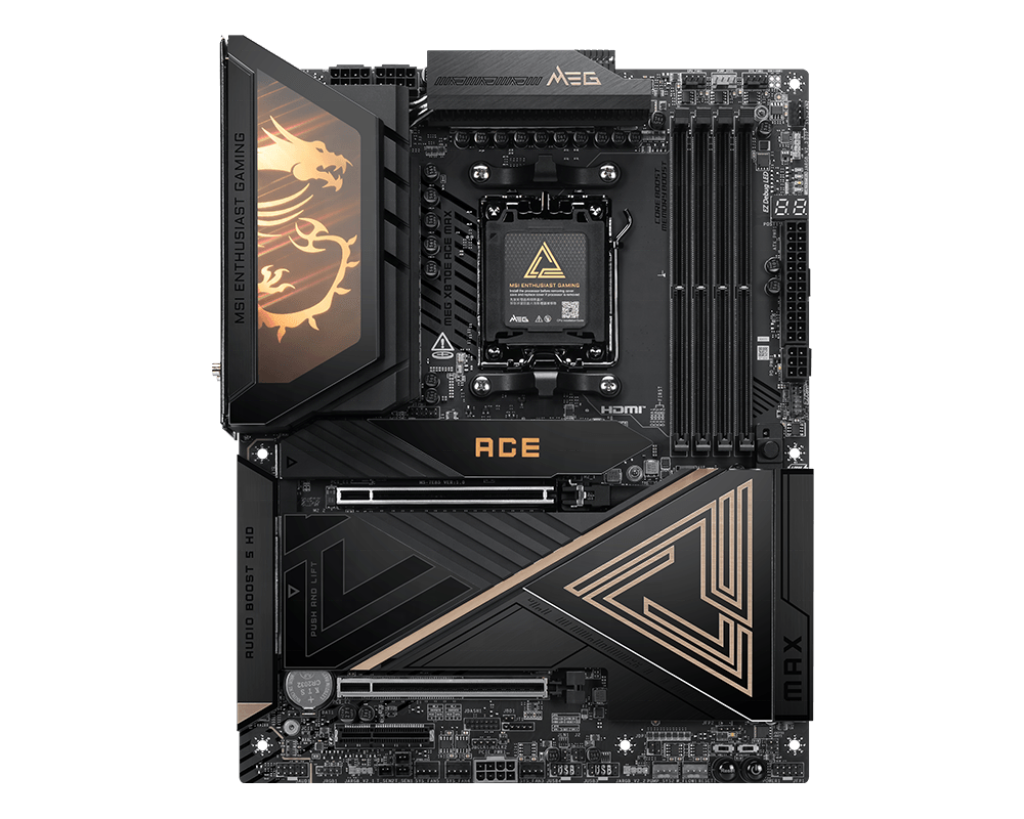
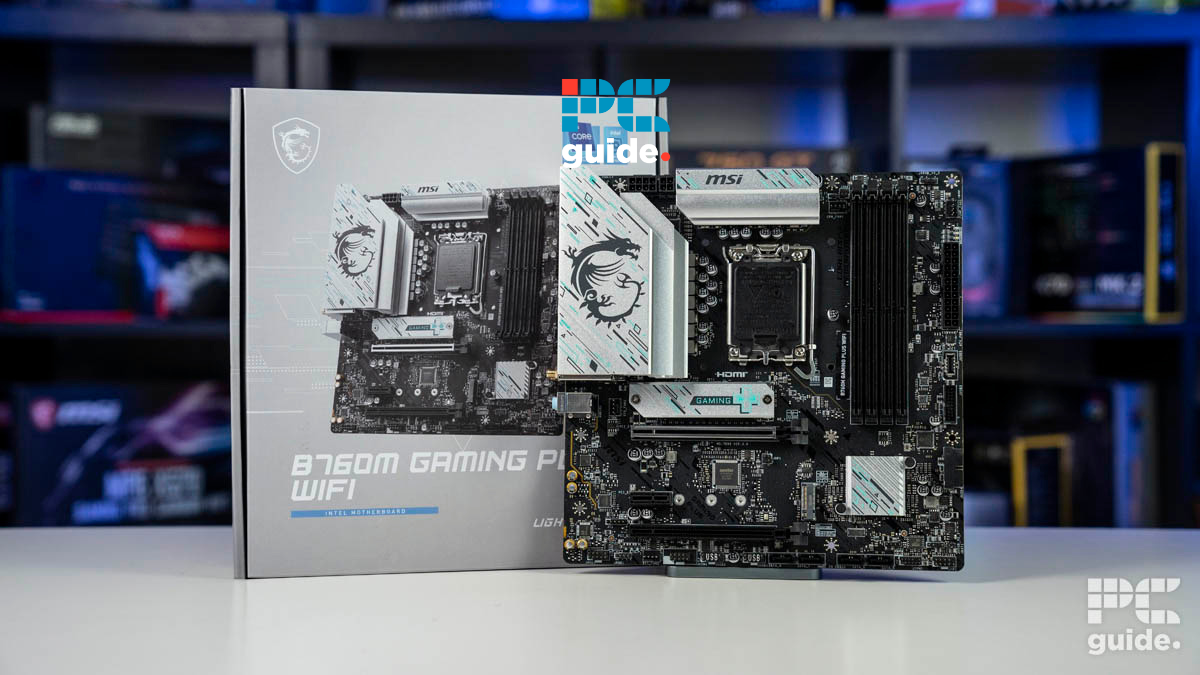
Best B850 In 2026 Our Top Picks PC Guide Best For Gaming . The Only Budget Gaming PC You Need For 2026 Asrock B650 Pro Rs . Upgrade Your System With High Performance Socket 2026 Motherboard Solutions 2026 New MSI MEG X870E ACE MAX AM5 Gaming Motherboard Wi Fi7 10G LAN DDR5 ATX Supports 9000 8000 7000 Series For Gaming AI PC . Budget Gaming Pc Motherboard At Caitlin Gilles Blog 49756284 7da6 49cb Bb35 . Best B850 In 2026 Our Top Picks PC Guide Best B760 1
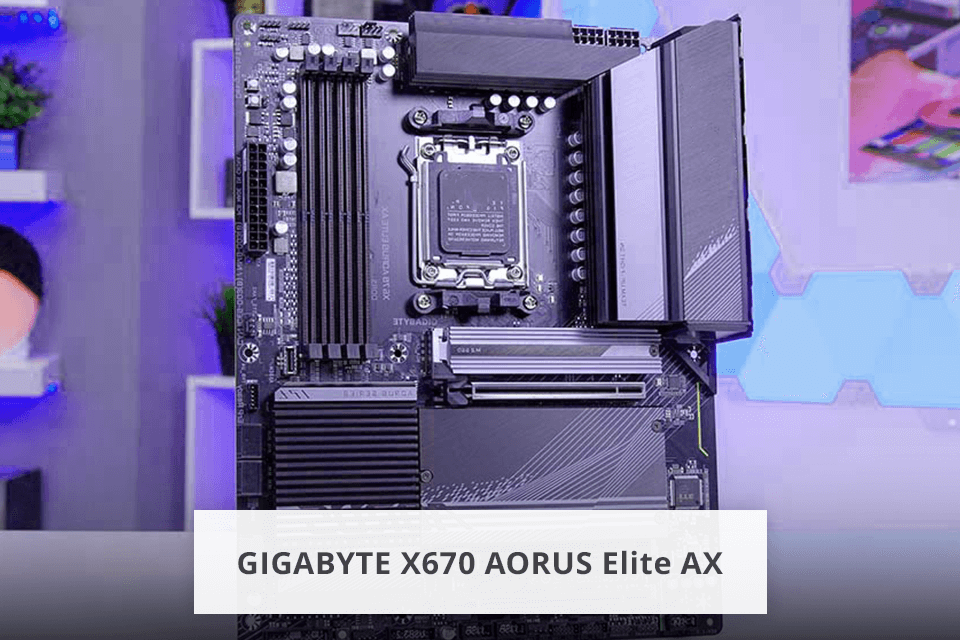
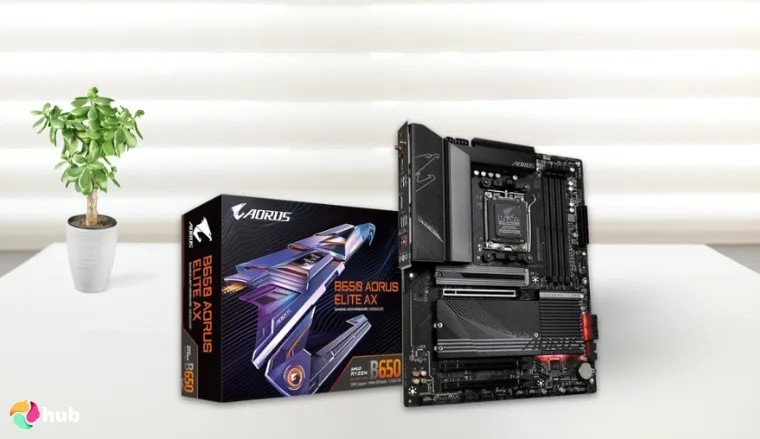
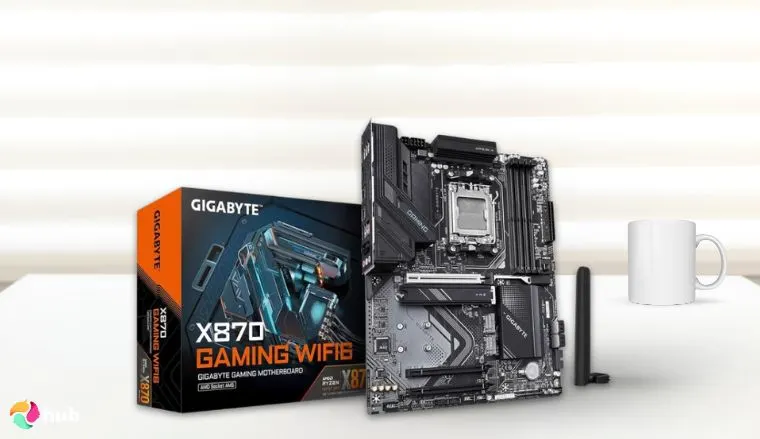

Best Budget For Gaming In 2026 Budget Motherboard Gigabyte X670 Aorus Elite Ax . 7 Best Budget For Gaming In 2026 Top Picks GIGABYTE B650 AORUS Elite AX Best Durable Budget Motherboard For Gaming.webp. 7 Best Budget For Gaming In 2026 Top Picks GIGABYTE X870 Gaming WIFI6 Best High End Budget Gaming Motherboard With USB4. Best B850 In 2026 Our Top Picks PC Guide ASUS ROG Strix X870E E Gaming WiFi . 7 Best Budget For Gaming In 2026 Top Picks MSI MAG B650 Tomahawk WiFi Best Thermally Optimized Budget Motherboard For Gaming.webp


Best For RTX 5090 In 2026 Our Top Picks Tested PC Guide Best AM4 Motherboard . Best For Gaming PCs In 2026 Intel AMD Guide Motherboard For Gaming Pcs In 2026.webp. 7 Best Budget For Gaming In 2026 Top Picks ASUS ROG Strix B650 A Gaming WiFi 6E Best Overall Budget. Best ASUS Gaming 2026 Expert Gaming PC Guru 81mWxkj0TKL . Best X670 In 2026 PC Guide Best For RTX 5060 Ti

Best Budget For Gaming In 2026 News Fb Image 16601 . Best Budget CPUs Of 2026 Benchmarked And Ranked Tom S Hardware . Budget Motherboard For Gaming Computer At Victoria Brownlee Blog . Best Budget For Gaming In 2026 News Image 16601 . Best AM4 Budget In 2026 Reliable Boards That Are Still Best AM4 Budget In 2025

Best Gaming PC Builds For 2026 Best Gaming PC Builds For 2026.webp. Best AM4 Budget In 2026 Reliable Boards That Are Still BudgetPC 1024x683 . 7 Best Budget For Gaming In 2026 Top Picks Best Budget For Gaming . Gaming PC Budget Guide 2026 Spend Smart Build Better How To Plan Your Budget Pc.webp. Best 2026 For Gaming By Socket And Chipset Tom S Hardware


AMD Or Intel Motherboard In 2026 A Complete Buyer S Guide For Gaming 8.3 1024x687 . Best Budget Gaming PC Builds For 2026 500 800 Best Budget Gaming PC Builds For 2026.webp. Best CPU Motherboard Combo In 2026 Top AMD And Intel Picks For Any Screenshot 2026 01 13 154228 1 . Best ASUS Gaming 2026 Expert Gaming PC Guru 712mtAGWfaL . Best ASUS Gaming 2026 Expert Gaming PC Guru Console Rog Ally X Accessories Gpcg